

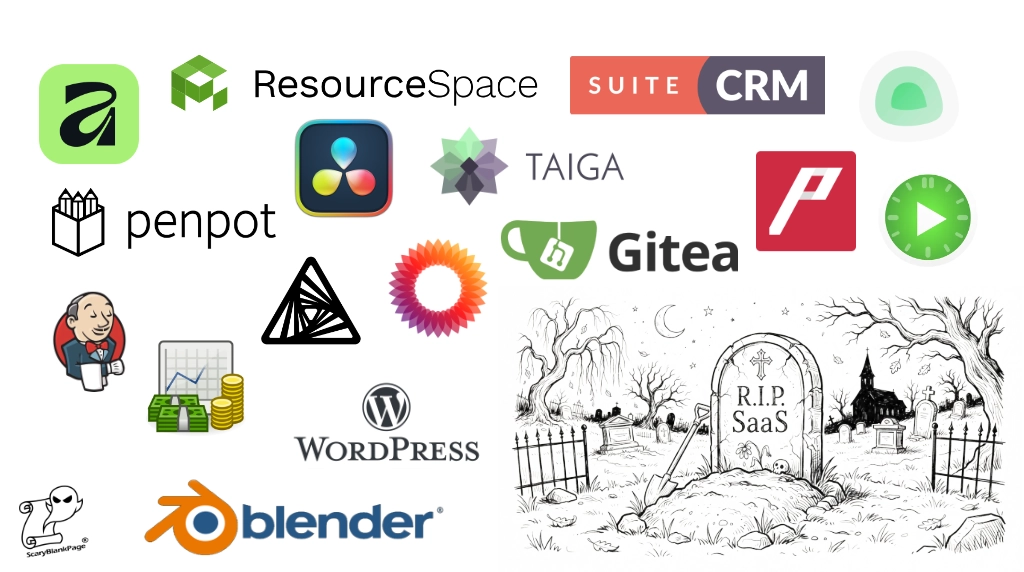
When I started Frosty Dog Games, I wanted to keep overhead down to an absolute minimum. The problem I faced was that almost all the industry-leading tools—the very tools I needed to run the business—were subscription services. And SaaS gets expensive, very quickly.
It’s true that most offer a free tier, but in practice, this is often next to useless. They are usually designed to get you locked in, whet your appetite, and entice you further into their ecosystem rather than actually solve your problem.
My biggest concern wasn’t the cost today, but the cost in two years’ time. Pip’s Odyssey was likely to take that long to develop, and during that window, the studio would be pre-revenue. I had the money at launch, but would I still have it two years down the line? Nope. Controlling costs from day one was vital to the long-term survival of the business.
That meant looking for alternative solutions.
Disclaimer: I’m not affiliated with any of these projects. Every tool listed here is either installed locally on my workstations or self-hosted on my own studio servers. I use them daily or weekly depending on the tool. Logos courtesy of the respective tool providers.
Development & Infrastructure
Gitea: Alternative to GitHub

I absolutely love Gitea. I’ve been using it for three years now—initially on my Synology NAS and now on its own dedicated server. It’s small, lightweight, and fast. Plus, it has push-mirroring built in by default, allowing me to automatically maintain an off-server backup copy of my repositories for when disaster strikes.
- Link: about.gitea.com
Jenkins: CI/CD System

Jenkins runs my builds and my test suite. When Pip’s Odyssey releases, it will also handle packaging and uploading new builds for players. Right now, Jenkins automatically builds the game every time I push a commit to Gitea, runs unit and functional tests, reports the results, and can trigger a PR merge if the build is green. If you aren’t automating your builds yet, I strongly suggest checking it out.
- Link: jenkins.io
Taiga: Alternative to Jira

Taiga isn’t a drop-in replacement for Jira—Jira can do much more, though most of that extra weight is unnecessary for a small, lean team. The real advantage of Taiga is that because it runs inside my firewall, it integrates directly with my local Gitea instance. It supports projects, epics, stories, and tasks, letting me switch between Kanban and Scrum boards with burndown charts to track sprint progress.
In fairness to Atlassian, Jira is free for teams of up to 10 people, so my direct cash saving here is £0. I chose Taiga for tool integration and complete sovereignty over my studio’s data.
- Link: taiga.io
Uptime Kuma: Network & Service Monitor

Aside from the desktop apps, every tool in this post runs on my own local servers. To keep an eye on everything without spending hours each week nursing a network, I use Uptime Kuma. It monitors whether my servers and services are up, down, or in scheduled maintenance (such as during nightly backups). If something goes unreachable, this is my first port of call to see what happened.
BTW, there’s also a humorous example of AI prompt injection in the repro root that made me chuckle when I read it.
Art, Design & Media
Blender: Alternative to 3ds Max and Maya

When you’re building 3D environments, props, or characters for game development, high-end Digital Content Creation (DCC) suites like 3ds Max and Maya are the traditional industry heavyweights. They are exceptionally powerful, but their legacy pricing models, hefty subscription fees, and complex corporate licensing structures can cripple an indie studio before it even gets off the ground.
That’s where Blender changes the game.
Far from being a “budget” compromise, Blender is a fully featured, industry-grade 3D powerhouse that handles modeling, sculpting, rigging, animation, simulation, rendering, and compositing under one roof. Because it’s entirely open-source, there are no surprise subscription hikes, no seat-licensing audits, and no software lock-in holding back your workflow.
I’m not an expert 3D artist, far from it, but I do enjoy making my own model assets. It makes a great change from programming and I find it strangely relaxing, calming even. Just recently I’ve been trying my hand at sculpting. It’s something I’ve shied away from in the past as I was always put off by the tools and brushes. Now I have a graphics tablet correctly set up I’m really getting into it so look out for my first character creations in Pip’s Odyssey when it launches.
For solo devs and small teams, Blender integrates seamlessly into modern pipelines. Whether you’re crafting low-poly assets for web games, setting up procedural geometry node systems for environment generation, or baking high-detail normal maps for Unreal Engine 5, Blender does everything the paid monoliths do—without bleeding your runway dry.
- Link: blender.org
Affinity: Alternative to Adobe Creative Cloud

Adobe CC is the industry standard, but it feels geared toward established enterprises rather than startups. New-subscriber discounts eventually expire, leaving you paying full whack for bloated apps packed with AI features I neither want nor need.
Switching to Affinity was a no-brainer. It replaces every tool I actually used in Creative Cloud. The UI is familiar enough to hit the ground running with zero fuss, and it opens my legacy .ai and .psd files natively so I can pick up right where I left off. (Note: Free/perpetual license rather than open source, but zero subscription drain).
- Link: affinity.studio
Penpot: Alternative to Figma

For UI/UX wireframing, menu layouts, and prototyping, Penpot is a fantastic open-source alternative to Figma. Because it natively uses open web standards (SVG, CSS, and HTML), assets translate cleanly without proprietary lock-in. Having a self-hosted, browser-based design space makes collaborating on interface layouts effortless without worrying about per-seat editor fees.
This is a recent addition to my toolbox so I’m still getting used to it. Its UI is extremely similar to Figma, making it quick to pick up and it’s lightweight enough to run on a Raspberry Pi5.
- Link: penpot.app
ArmorPaint: Alternative to Substance 3D Painter

3D texturing is another area where subscription costs can quickly spiral. ArmorPaint is a standalone, open-source PBR texture painting tool designed specifically for 3D assets. It lets me paint directly onto meshes with node-based materials and bake maps locally on my GPU without paying a monthly tax just to open my texture files.
- Link: armorpaint.org
DaVinci Resolve: Alternative to Adobe Premiere

I used to love Adobe Premiere, but it was far too expensive for how often I actually needed to cut trailers or devlog clips, so it went when I cancelled Creative Cloud. I now use DaVinci Resolve. Even the free version has far more power than I need for video editing and compositing—and is arguably superior to Premiere anyway.
I found it very quick and easy to pick up, perhaps because I was already familiar with Adobe Premiere. It’s intuitive but like all tools has a learning curve.
- Link: blackmagicdesign.com
ResourceSpace: Digital Asset Management

ResourceSpace is a relatively new addition to my stack, and I’m still evaluating whether it earns its keep or adds too much process. I installed it to act as a central library for all game assets—images, 3D models, animations, audio, and textures. Git isn’t ideal for large binary libraries, and reusing assets across multiple games quickly leads to duplicate files floating around. ResourceSpace lets me tag metadata, track licenses, and record credit lines, making it much easier for artists to browse and pull assets than digging through Git repositories.
- Link: resourcespace.com
Business, Documentation & Ops
MediaWiki: Studio Documentation

Every business needs a central brain. I keep mine on a dedicated server running MediaWiki. It houses everything from brand guidelines, strategy docs, and financial decisions to board resolutions, game design concepts, and copious “How-To” guides for our internal pipelines.
- Link: mediawiki.org
AFFiNE: Alternative to Notion & Miro

While MediaWiki handles formal, structured documentation, AFFiNE fills the gap for freeform brainstorming, mood boards, and visual planning. It merges a Notion-style block editor with an infinite Miro-style canvas, allowing me to map out game mechanics, drop in reference art, and draft quick notes in a local-first workspace without paying per-collaborator fees.
- Link: affine.pro
GnuCash: Accounting & Bookkeeping

My studio accounts all live in GnuCash. I ran the books for my previous business with it for eight years; it looks and feels like a relic from the 1980s, and it is undeniably clunky, but its double-entry accounting is rock solid. This time around, I have it hooked up to a MySQL database on my local network so I can access the books seamlessly from both my Windows PC and MacBooks. Closing out the month and generating a Balance Sheet or P&L report takes seconds.
- Link: gnucash.org
Kimai: Time Tracking

Kimai is a great little tool for tracking development hours. Yes, I could use a spreadsheet, but spreadsheets are so last century. Because Pip’s Odyssey is grant-funded and eligible for UK Video Games Expenditure Credit (VGEC), I need to separate core development hours from general maintenance and non-eligible tasks. Logging time as I work creates a contemporaneous record that backs up monthly progress reports—which is vastly preferable to trying to reconstruct a year’s worth of work from memory.
- Link: kimai.org
SuiteCRM: Alternative to Mailchimp & Salesforce

Most indie studios probably don’t consider a CRM when starting out, but running a previous business taught me how invaluable one is for driving opportunities and staying organized. I use SuiteCRM to manage and email my list of Beta Testers, as well as track grant applications, publishing contacts, and contracts.
- Link: suitecrm.com
HMRC Basic PAYE Tools: Essential Free Payroll for Small UK Employers
When you run a limited company in the UK and register for PAYE as an employer—whether you’re paying yourself as Director #1 or bringing on your first team members—HMRC expects you to run Real Time Information (RTI) payroll and report submissions on or before every payday.
While commercial payroll SaaS platforms like FreeAgent, Xero, or standalone payroll bureaus charge monthly per-employee subscription fees, HMRC provides an official, completely free desktop application: Basic PAYE Tools (BPT).
Why It’s Worth Knowing About
- Completely Free: Maintained directly by HMRC, there are no licensing fees, hidden upgrade tiers, or subscription renewals to worry about.
- Full RTI Compliance: It handles everything a small employer needs to stay on the right side of tax law: recording employee details, calculating income tax and National Insurance deductions, submitting Full Payment Submissions (FPS) and Employer Payment Summaries (EPS) directly to HMRC’s gateway, and recording year-end P60s.
- Data Privacy & Local Storage: Unlike cloud payroll portals that store your sensitive staff and payroll records on external SaaS servers, BPT runs locally as a desktop application on your machine, storing data securely on your own hardware.
The Catch
To be completely transparent, Basic PAYE Tools is functional rather than luxurious. The user interface looks and feels like it was designed in the early 2000s, and because it runs locally, you have to manage your own database backups. It also won’t automatically sync with your double-entry bookkeeping software (like GnuCash)—you’ll need to manually log your gross wages, employer NI contributions, and PAYE liabilities into your accounts.
However, for a micro-studio or solo indie developer keeping operational overhead close to absolute zero, it’s a robust, zero-cost compliance tool that gets the job done without draining your runway.
Summary of the Stack
| Category | SaaS / Proprietary | My Alternative | Cost |
| Version Control | GitHub | Gitea | Free (Self-hosted) |
| CI / CD | GitHub Actions / CircleCI | Jenkins | Free (Self-hosted) |
| Project Tracking | Jira | Taiga | Free (Self-hosted) |
| 2D / Vector Art | Adobe CC | Affinity | Free / Perpetual |
| UI / UX Design | Figma | Penpot | Free (Self-hosted) |
| 3D Modelling | 3ds Max/Maya | Blender | Free |
| 3D Texturing | Substance Painter | ArmorPaint | Free / Open Source |
| Video Editing | Adobe Premiere | DaVinci Resolve | Free |
| Asset Management | Brandfolder / Bynder | ResourceSpace | Free (Self-hosted) |
| Documentation | Confluence | MediaWiki | Free (Self-hosted) |
| Whiteboard / Notes | Notion / Miro | AFFiNE | Free (Local / Self-hosted) |
| Accounting | Xero / QuickBooks | GnuCash | Free |
| Time Tracking | Toggl / Harvest | Kimai | Free (Self-hosted) |
| CRM & Mailing List | Salesforce / Mailchimp | SuiteCRM | Free (Self-hosted) |
| Monitoring | Pingdom / UptimeRobot | Uptime Kuma | Free (Self-hosted) |
Leave a Reply